
Customer portal
The portal subscribers actually use
Every action a subscriber can take themselves is a support ticket you don't get — and often a cancellation that doesn't happen.
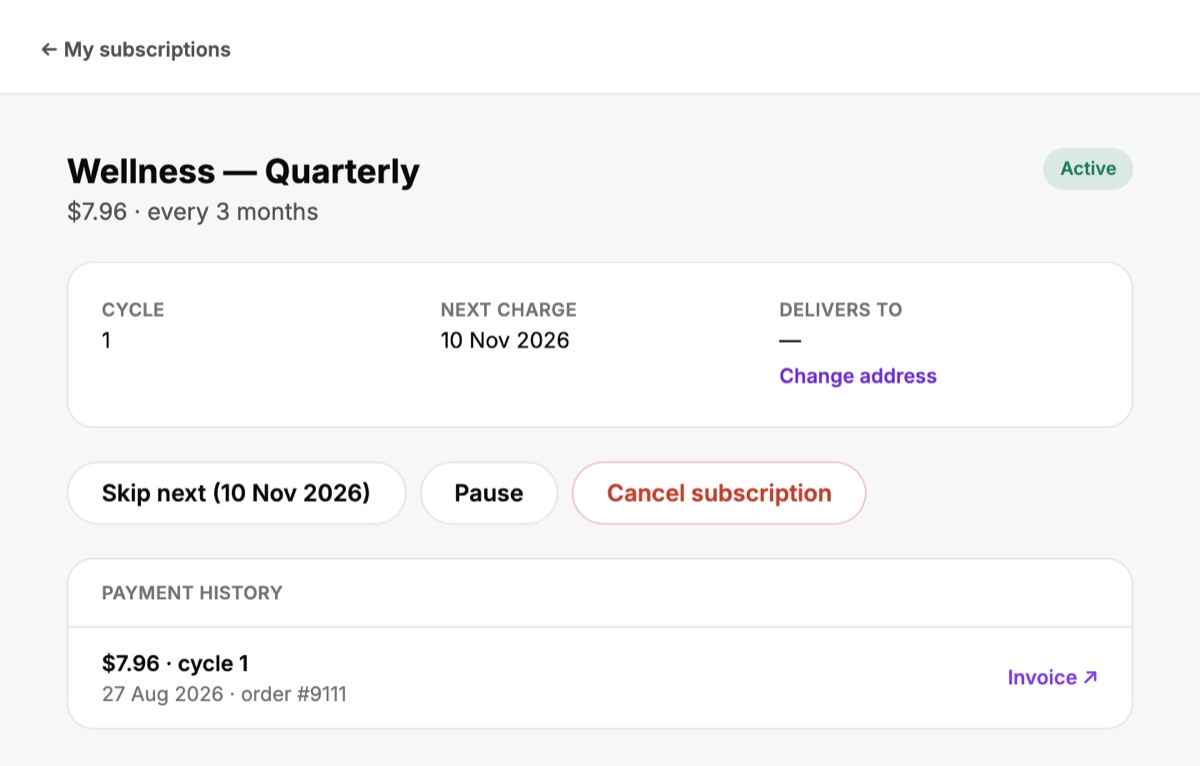
No second password
The portal is a page inside the Shopify customer account. Subscribers are already signed in the way they are for their order history. A portal with its own login generates a permanent stream of "I can't get in" tickets — and a subscriber who can't get in to skip will often just cancel.
What subscribers can do
- Skip the next delivery — the single most valuable button in a subscription product
- Pause and resume — for a trip, a tight month, a full cupboard
- Swap a product — instead of leaving because they're bored of it
- Change the delivery address — because people move between deliveries
- Add something to the next delivery, charged with it
- Order the next one early, if they ran out first
- Download invoices for every charge
- Cancel — findable, with skip and pause offered first
Your brand, their language
Match the portal's colours and wording to your store, and translate its copy — including your own cancellation-flow wording — for each language you sell in.
Also from the inbox
One-click links in emails let subscribers act on the next delivery without signing in at all.